


Your Umbraco Media Library Is Heavier Than It Looks: Cleaning It Safely with MediaRemove
Open the media library of any Umbraco site that has been live for a few years, and you’ll find images from campaigns that ended long ago, PDFs replaced by newer versions, and banners for pages that no longer exist. Nobody deletes them, because nobody can say for sure that they aren’t used somewhere. So the library keeps growing, storage costs rise, and the backoffice gets slower with every upload.
Why orphan files are so hard to find
Umbraco doesn’t keep media references in one place. A single image can be linked from several kinds of places:
The package includes:
content fields
media pickers
nested structures
indirect links that standard CMS APIs don’t fully expose
Checking each file by hand is unrealistic on a content-heavy site. Deleting files without checking risks broken pages. As a result, most teams do nothing, and the unused files stay.
What MediaRemove does
MediaRemove is a backoffice plugin for Umbraco CMS, developed by SoftPro. It finds media files that aren’t referenced anywhere on the site and removes them safely. The whole process runs inside the backoffice, without database access or manual checks. The goal is a clean, optimized media library, which means better performance, less storage, and an automated, safe workflow for removing orphan files.
Hire SoftPro for Umbraco Development
Contact SoftPro to discuss your Umbraco project. Partner with them to optimize your CMS, clean up your media library, and build backoffice extensions tailored to your goals.
How it works: detect, review, remove
Stage 1: Detect
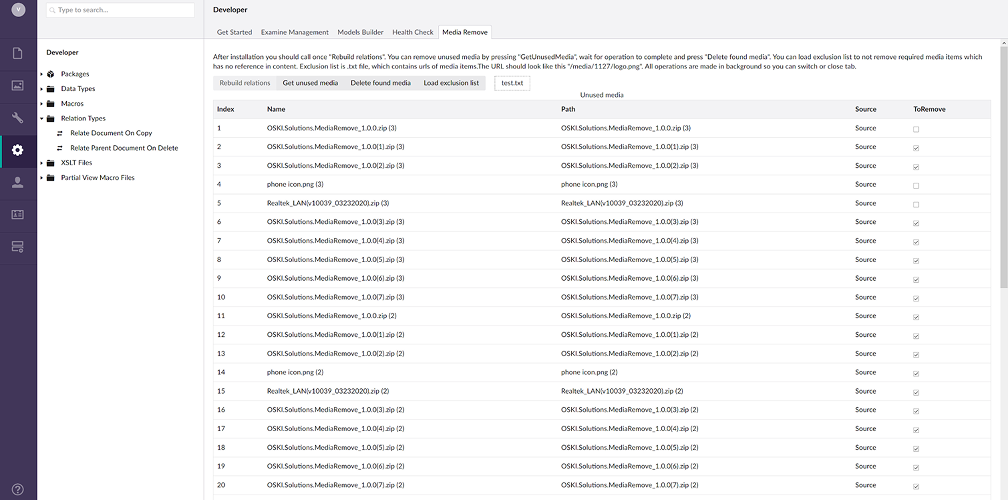
Relation rebuild. The plugin scans all content and restores the full map of links between media items and the places they are used, including links that standard APIs miss.
Unused media detection. Files that aren’t referenced anywhere in the content structure are flagged as safe candidates for removal.
Stage 2: Review and protect
Media overview table. It lists every flagged file with its name, path, and source, so the results are easy to check.
Validation and review steps. Nothing is deleted without confirmation.
Exclusion list. Critical assets can be protected so they are never deleted, even if they appear unused.
Stage 3: Remove
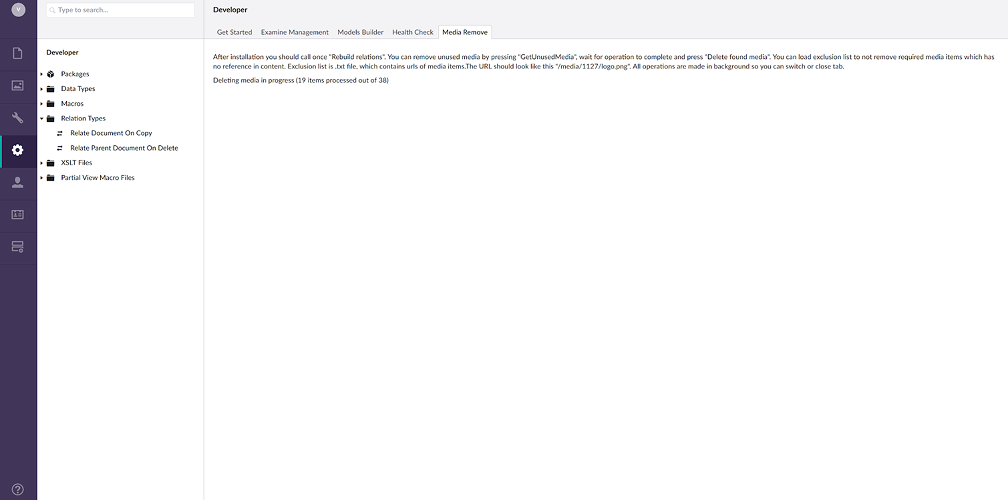
Bulk delete. Selected unused files are removed in one operation.
Consistency. The database and the filesystem stay in sync, with no leftover references and no orphaned physical files.
Built not to slow you down
Scanning a large media library can put heavy load on a CMS. MediaRemove handles this in two ways:
An optimized relation rebuild engine scans efficiently without hurting site or backoffice performance.
Background processing. Analysis runs in the background, so editors can keep working while it runs.
Technology
Backend: .NET, C#
CMS: Umbraco CMS, Umbraco Backoffice extension APIs
Relation tracking: Nexu
Industry: Web solutions
Focus: CMS optimization
Released: 2026
The numbers
85% cleanup efficiency: most orphan files are detected and removed.
60% average storage reduction: media storage drops after cleanup, helping the site scale.
40% faster backoffice: after optimization, the backoffice loads and navigates faster.
70% less manual work: much less time is spent cleaning up media by hand.
A safe media cleanup checklist
Back up before the first run, even though the plugin keeps the database and filesystem consistent.
Rebuild relations first. Detection is only as accurate as the relation map behind it.
Fill the exclusion list before deleting. Add assets used outside Umbraco content, such as logos referenced in templates, email campaigns, or external sites.
Review the overview table by path and source, not only by file name.
Delete in batches on large libraries, and check key pages after each batch.
Repeat regularly, for example quarterly, so the library never grows out of control again.
MediaRemove is available on the Umbraco Marketplace. If your Umbraco project needs more than a cleanup tool, such as custom backoffice extensions, integrations, or performance work, SoftPro’s development team builds.
Conclusion
Unused media is a slow, invisible cost: more storage, a heavier backoffice, and a library nobody fully trusts. MediaRemove makes the cleanup safe:
it rebuilds the full map of content-to-media relations;
it runs the analysis in the background;
it protects key files with exclusion rules;
it deletes the rest in bulk while keeping the database and filesystem in sync.


